

- Your cart is empty Browse Shop
Can I Build a WordPress Site Without Hosting?
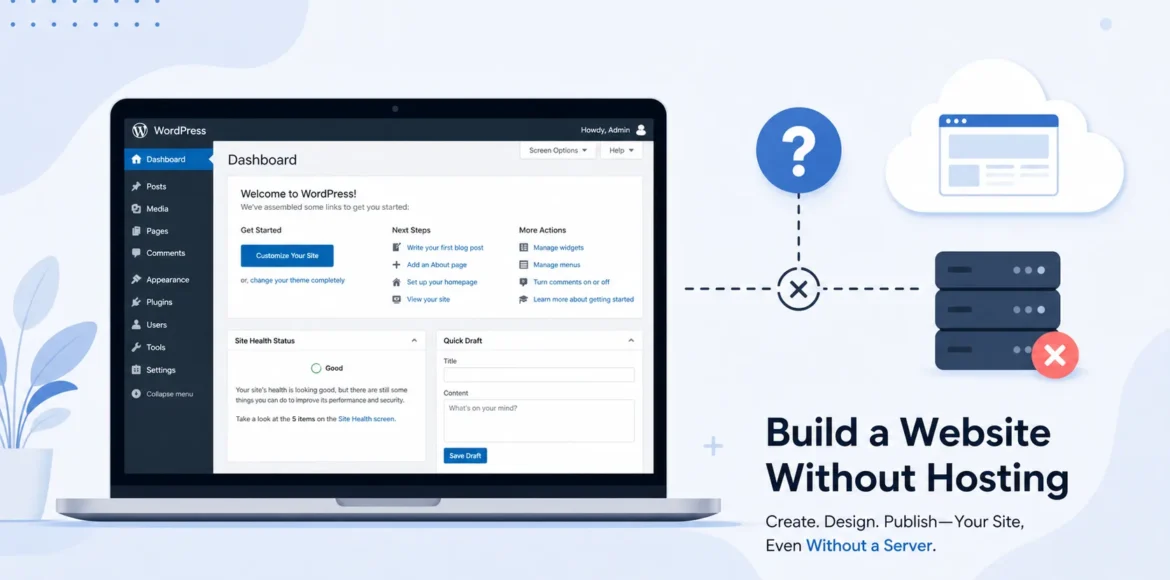
You open your laptop, install WordPress, and start dragging blocks around a page, only to realize you never bought a hosting plan. So now you’re stuck wondering: can I build a WordPress site without hosting, or did you waste an afternoon? The short answer is yes, you can build a fully functional WordPress site without paying for hosting, though the real answer depends on what you’re building it for.
At LocalPro1, we get this question constantly from beginners and small business owners testing the waters before committing money. This guide covers how it works, the limits, and when you’ll need real hosting.
What “Without Hosting” Actually Means

Before answering, can I build a WordPress site without hosting? It helps to separate two things people usually lump together: WordPress and hosting. WordPress is free, open-source software that runs your website’s content, design, and functionality. Hosting is the server space that stores your website’s files and makes them accessible to anyone on the internet, 24 hours a day.
Think of WordPress as the blueprint and furniture for a house. Hosting is the actual plot of land the house sits on. You can design and furnish that house in your garage without ever placing it on a lot, but nobody driving down the street will ever see it until you move it there. That’s essentially what happens when you build a WordPress site without hosting: everything gets built, styled, and tested, but it stays invisible to the public until it’s connected to a server.
This confusion is also why so many people ask is WordPress free in the first place. WordPress.org software costs nothing to download and use. What costs money is the hosting, the domain name, and sometimes premium themes or plugins. Once you understand that split, the rest of this becomes much easier to plan around.
3 Real Ways to Build a WordPress Site Without Hosting
There isn’t just one workaround here. Depending on your goal, whether it’s learning, testing a client project, or running a quick demo, one of these three methods will fit better than the others.
1. Local Installation (Best for Developers & Testing)
A local installation turns your own computer into a temporary web server. Using tools built for this exact purpose, you install WordPress directly on your machine, complete with a working database and PHP environment. From there, you can build pages, install plugins, switch themes, and write content exactly as you would on a live site.
The catch is visibility. A locally installed WordPress site only exists on your hard drive. There’s no public URL, no domain pointing to it, and no way for a client or a search engine to see it. If you’re asking do i need web hosting for WordPress because you want to show your work to someone else, a local install alone won’t get you there. It’s a sandbox, not a storefront.
Freelance developers use this method constantly to build out a client’s site in private, test plugin conflicts, or troubleshoot a theme update before pushing changes to a live server. It’s also the safest way to learn WordPress without the fear of breaking a real website in front of visitors.
2. Free Hosted WordPress Plan (Best for Absolute Beginners)
This is where the do you need hosting for WordPress” question gets a little more nuanced. WordPress.com offers a free plan that technically includes hosting; it’s just hosting you don’t manage or pay for directly. Your site lives on a subdomain, something like yourname.wordpress.com, and the platform handles the server side of things for you.
This route is genuinely useful if you’re starting and want your site to be visible online without any upfront cost. The tradeoff is control. You can’t upload your own themes, your plugin options are extremely limited, and unwanted ads may appear on your pages. If your long-term plan involves branding, ecommerce, or ranking competitively in search results, this setup will eventually feel restrictive.
3. Browser-Based WordPress Sandbox (Best for Quick Demos)
The newest option in this space is the browser-based sandbox. These tools spin up a temporary, fully functional WordPress instance right inside your browser tab- no downloads, no installations, nothing saved to your computer. You can click around, test a theme, or show a client what a layout might look like in real time.
The important thing to understand here is that this is not a real website in any lasting sense. Close the tab, refresh the page, or let the session time out, and everything disappears. It’s built purely for quick experimentation, not for anything you intend to keep.
Comparison at a Glance
| Method | Cost | Publicly Live? | Custom Domain? | SEO/Indexable? | Best For |
| Local Installation | Free | No | No | No | Development and testing |
| Free Hosted Plan | Free | Yes (subdomain) | No (paid upgrade) | Limited | Beginners and hobby sites |
| Browser Sandbox | Free | No (temporary) | No | No | Quick demos |
Pros of Building WordPress Without Hosting
There’s real value in going this route before spending a dollar on hosting, especially if you’re still deciding whether WordPress is the right fit for your project.
- Zero financial risk while you’re still learning the platform.
- A safe space to test themes, plugins, and code changes before anything goes live.
- No pressure about breaking something in front of real visitors, since nobody but you can see it.
- A realistic feel for the WordPress dashboard before you commit to a workflow, which matters more than it sounds. Plenty of people pick a theme, invest hours customizing it, and only then realize the layout doesn’t match how they actually want to organize content. Testing this without hosting means that mistake costs you time, not money.
- Room to plan your site structure properly. Building without the pressure of a live audience gives you space to map out your pages, navigation, and category structure before publishing, which tends to produce a cleaner, more intentional site than building live and rearranging things later.
Limitations You Need to Know Before You Start
Once the novelty wears off, the practical limits of building without hosting start to show, and they matter a lot if you’re planning to grow past the testing phase.
- Local sites can’t be crawled by Google. No hosting means no indexing, which means zero organic search visibility.
- Free hosted plans restrict monetization, custom plugins, and full branding control.
- You won’t have access to real email accounts tied to your domain, proper backups, or dedicated security monitoring.
- Migrating from a no-hosting setup to a live host later takes extra time, and it’s easy to lose formatting or media links if it’s not done carefully.
Anyone weighing do you need hosting for WordPress against a real business goal usually finds the answer flips from “not yet” to “yes” fairly quickly once monetization or branding enters the picture. At LocalPro1, the most common support request we see isn’t during the build phase; it’s during the migration, when someone waits too long to move off a free plan and ends up rebuilding pages that got locked behind a paywall or lost during an export.
That last point deserves more attention than most guides give it. A rushed migration doesn’t just risk broken images; it can also reset your permalinks, which quietly tanks any early search visibility you’d started to build. If you’ve been running a free hosted plan for months and it’s already picking up a little traffic, plan the switch to real hosting a few weeks before you actually need it, not the day after a client asks for a quote.
When You Actually Need Real Hosting
Here’s a quick checklist to figure out where you stand. If any of these apply to you, it’s time to stop asking if WordPress is free and start looking at hosting plans instead.
- You want your site actually to show up in Google search results.
- You want a custom domain, like yourbusiness.com, instead of a subdomain.
- You plan to sell products, take bookings, or process payments.
- You need full control over plugins, themes, and site speed.
- You’re only learning or testing right now, in which case hosting isn’t required yet.
If you’re based in the New York area and you’re ready to move past the testing stage, our WordPress Hosting Services in New York team can help you transition from a local build to a fully live, secure, and search-ready website without losing any of the work you’ve already done.
Read More: How to Install WordPress on Hostinger?
How to Move From “No Hosting” to a Live Website
When you’re ready to make the switch, the process is straightforward if you plan:
- Choose a hosting provider and a plan that matches your traffic and storage needs.
- Register your custom domain name if you haven’t already.
- Export your local site’s files and database using a migration plugin or manual backup.
- Import everything into your new hosting environment and update your site URLs.
- Test every page, form, and plugin before pointing your domain live, then install an SSL certificate for security.
Doing this in order avoids the most common headache: broken links and missing images caused by rushing the migration.
Final Verdict
So, can I build a WordPress site without hosting? Yes, absolutely, and for learning, testing, or short-term demos, it’s genuinely a smart way to start. But if your goal is a real, searchable, brandable website that can grow with your business, hosting stops being optional fairly early in the process. Use the no-hosting route to build your confidence and your content, then move to real hosting once you’re ready to go public.
If you’re ready to take your WordPress site live with hosting that’s fast, secure, and genuinely supported, Contact LocalPro1 team and we’ll walk you through the whole process, from your first local build to a fully hosted, search-ready website.
FAQs
Do I need web hosting for WordPress if I only want a personal blog?
Not immediately. You can start with a free hosted plan or a local install to write and format posts. Once you want a custom domain or better SEO visibility, whether you need web hosting for WordPress becomes a yes rather than a maybe.
Is WordPress free to download and use?
Yes, the WordPress.org software itself is completely free. Costs only come in through hosting, domain registration, and any premium themes or plugins you choose to add later.
Can a local WordPress installation be seen by anyone else?
No, a local install only exists on your own computer and has no public URL. To let others view your site, you’d need to either move it to a hosting provider or use a temporary sharing tool designed for local development.
Will a WordPress site without hosting show up on Google?
No. Search engines can only index sites that are publicly accessible on the internet, so local installs and browser sandboxes stay invisible to search results. This is the main reason hosting for WordPress becomes essential once ranking matters to you.
How long does it take to move a site from local to live hosting?
For a small site with a handful of pages, migration usually takes a few hours if you follow a clear export and import process. Larger sites with lots of media or custom plugins can take longer, especially if you’re double-checking every page after the move.
