

- Your cart is empty Browse Shop
What Is Web Design? A Complete Beginner-to-Pro Guide
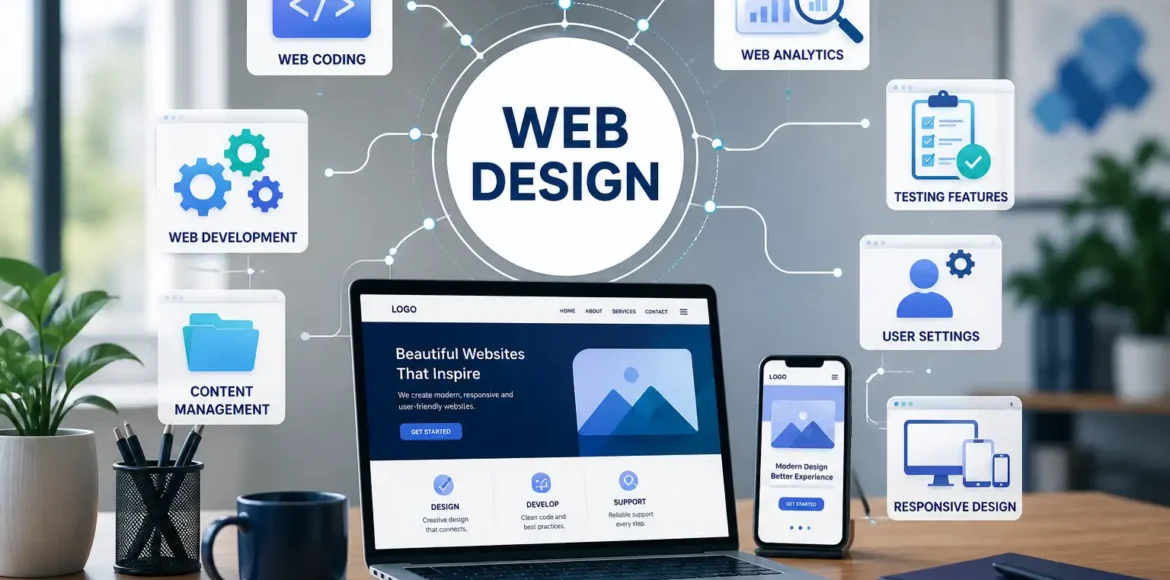
Web design is the process of planning, arranging, and building the visual layout and user experience of a website so that visitors can find information, complete tasks, and trust what they see. If you’ve ever landed on a cluttered, slow, or confusing site, you already know why this matters.
At LocalPro1, we get asked “what is web design” almost every week by clients who know they need a website but aren’t sure what actually goes into building one that works. This guide breaks it down in plain language, with real operational context, so you understand exactly what web design involves and why it affects whether people stay or leave.
What Does Web Design Actually Mean?

The simplest definition website design professionals use is this: web design is the combination of visual layout, structure, and interaction that determines how a website looks, feels, and functions for the people using it. It is not just about picking colors or fonts. A true definition of web design includes the layout of content, the navigation path a visitor follows, and whether the page loads fast enough to keep their attention. Think of it like the layout and decor of a physical store, where a well-organized space guides customers to what they need without feeling overwhelming. Web design does the same thing digitally, guiding a visitor’s eyes and removing friction between “I have a question” and “I found the answer.”
So when someone asks for the meaning of web design in a business context, the honest answer is that it is part visual craft and part functional planning. Looks matter, but structure, usability, and clarity matter just as much, sometimes more.
Web Design vs Web Development: What’s the Difference?
This is one of the most common points of confusion, even among people already running a business online. Here is a quick side-by-side comparison:
| Web Design | Web Development |
| Visual layout, colors, typography | Code, functionality, backend logic |
| Focused on user experience | Focused on how the site actually works |
| Tools: design software, wireframing, prototyping | Tools: programming languages, frameworks, databases |
In short, web design shapes what a visitor sees and how they feel using the site, while web development builds the engine that makes those design decisions function correctly. A designer might create the layout for a booking form, but a developer writes the code that actually processes the booking. Neither one replaces the other. A site with excellent design but broken code will frustrate users just as fast as a site with clean code and confusing layout.
Core Elements of Web Design
When we talk about the definition website design agencies work from internally, it usually comes down to seven core building blocks. Each one plays a specific operational role.
Layout and Structure
Layout determines how content is arranged on the page, what visitors see first, and how their eyes move down the screen. A strong layout follows a natural reading pattern, usually top to bottom and left to right, and groups related information together so nothing feels scattered.
Color Scheme
Color does more than make a site attractive. It signals brand identity and can influence how trustworthy or professional a business appears. A restaurant might use warm tones to feel inviting, while a financial services firm might lean on cooler, more neutral palettes to convey stability.
Typography
Typography covers font choice, size, spacing, and hierarchy. Good typography makes a page easy to scan. Headings should stand out from body text, and paragraphs should be short enough to read comfortably on a phone screen without zooming in.
Navigation and User Experience
Navigation is the roadmap of a website. If a visitor cannot find your contact page, pricing, or service details within a couple of clicks, they are far more likely to leave. Clear menus, logical page grouping, and visible calls to action all fall under this category.
Responsiveness
Responsive design means a website automatically adjusts its layout depending on the device being used, whether that is a desktop monitor, a tablet, or a phone. With most web traffic now coming from mobile devices, this is no longer optional. It is a baseline requirement.
Page Speed and Performance
Design choices directly affect how fast a page loads. Large uncompressed images, excessive animations, or bloated code can slow a site down significantly. Every extra second of load time increases the chance a visitor leaves before the page even finishes rendering.
Accessibility
Accessibility means designing so people with visual, hearing, or motor impairments can still use the site effectively. This includes sufficient color contrast, readable font sizes, alt text for images, and keyboard-friendly navigation. It is frequently overlooked, yet it directly affects how many people can actually use your website.
Why Web Design Matters for Businesses
Here at LocalPro1, we have seen firsthand how design decisions translate into real business outcomes, not just aesthetic preferences.
First impressions form almost instantly. Visitors form an opinion about a website’s credibility within seconds of arriving. If the layout feels outdated or cluttered, many will assume the business itself is outdated too, even if that is not true.
Design affects conversions and bounce rate. A confusing checkout process, a hidden contact form, or a page that takes too long to load can quietly cost a business real revenue every single day, often without the owner realizing why traffic isn’t converting.
Design impacts search visibility. Search engines evaluate factors like page speed, mobile usability, and layout stability, commonly grouped under Core Web Vitals. A poorly designed site can struggle to rank well, no matter how good the written content is.
Design reinforces brand identity. Consistent colors, fonts, and layout patterns across every page help visitors recognize and trust a brand, the same way consistent signage helps customers recognize a store from across a parking lot.
The Web Design Process, Step by Step
Understanding what goes into building a site helps set realistic expectations for timelines and budget. A typical process looks like this:
- Research and goal setting. Define who the site is for, what actions visitors should take, and what competitors in the space are doing well or poorly.
- Wireframing. Build a basic skeleton of the layout before adding colors or images, focusing purely on structure and content placement.
- Visual design. Apply color schemes, typography, imagery, and branding elements to the wireframe.
- Prototyping and feedback. Create a clickable version of the design so stakeholders can test the flow before development begins.
- Development handoff. Developers turn the approved design into a fully functioning website using code.
- Testing across devices. Check how the site performs on different browsers, screen sizes, and connection speeds.
- Launch and ongoing optimization. Publish the site, then monitor real user behavior and make adjustments based on actual performance data.
Types of Web Design
Not every website follows the same design approach, and choosing the right type depends on the business goal.
- Static vs dynamic design. Static sites show the same content to every visitor, while dynamic sites pull in content that changes based on user behavior or data, such as personalized product recommendations.
- Responsive vs adaptive design. Responsive design fluidly adjusts to any screen size, while adaptive design uses a fixed set of layouts tailored to specific device categories.
- Minimalist vs content-heavy design. Minimalist design strips away unnecessary elements to focus attention on one clear action, while content-heavy design suits sites like publishers or resource hubs that need to organize large volumes of information.
- E-commerce design. Online stores require additional considerations like product filtering, cart visibility, secure checkout flow, and trust signals near the point of purchase.
Common Web Design Mistakes to Avoid
Even well-intentioned businesses make design decisions that quietly hurt performance. Watch for these:
- Cluttered layouts that overwhelm visitors with too many competing elements on one page.
- Ignoring mobile users, despite mobile traffic now making up the majority of visits for most industries.
- Poor color contrast, which makes text difficult to read and creates accessibility barriers.
- Slow-loading pages caused by unoptimized images or excessive scripts.
- Inconsistent branding, where fonts, colors, or tone shift noticeably from one page to the next, making the site feel disjointed.
If your business is based in a competitive market and you want a site built to avoid these pitfalls from the start, working with a team offering dedicated Web Design Services in New York can help you skip the trial and error that many businesses go through on their own.
Web Design Trends to Know in 2026
Design trends shift as user expectations and technology evolve. A few patterns worth watching this year include AI-assisted personalization, where layouts or content blocks adjust based on visitor behavior in real time. Micro-interactions, small animations like a button changing color on hover, continue to add polish without slowing down the page. Accessibility-first design is increasingly treated as a baseline requirement rather than an afterthought. And minimalist, performance-first layouts remain popular because they load faster and reduce decision fatigue for visitors.
Final Thoughts
At its core, web design is about building a website that people can actually use, trust, and enjoy navigating, not just one that looks good in a screenshot. From layout and typography to accessibility and page speed, every decision affects how visitors experience your brand and whether they stick around long enough to take action.
If you are ready to build a website that reflects the definition of web design done right, our team at LocalPro1 is here to help. Contact us today to talk through your project and get a website built around how real visitors actually behave.
Frequently Asked Questions
What is web design in simple words?
Web design is the practice of planning and arranging how a website looks and functions, including layout, colors, fonts, and navigation. In simple terms, it is the process of making a website easy to use and pleasant to look at.
What is the main purpose of web design?
The main purpose is to guide visitors toward a specific action, whether that is reading content, filling out a form, or making a purchase, while keeping the experience clear and trustworthy. Good design removes friction between a visitor’s intent and the outcome they want.
What are the core elements of web design?
The core elements typically include layout, color scheme, typography, navigation, responsiveness, page speed, and accessibility. Each one affects how usable and effective a website is for real visitors.
Is web design the same as graphic design?
No, web design and graphic design overlap but are not identical. Graphic design often focuses on static visuals like logos or print materials, while web design must also account for interactivity, navigation, and how a layout adapts across different devices.
Do you need to know coding to work in web design?
Not necessarily, since many design tools allow you to build layouts visually without writing code. That said, understanding basic coding concepts helps designers communicate more effectively with developers and set realistic expectations for what can be built.
