
What Is Web Development?
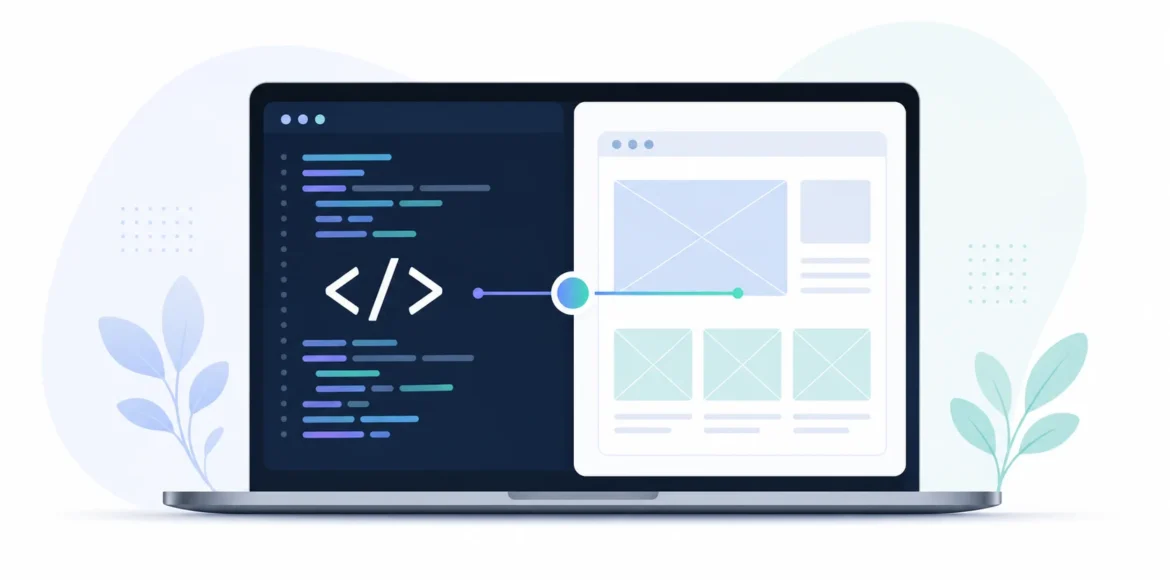
Every time you order food from an app, log into your bank account, or fill out a contact form, you’re interacting with the result of web development. But could you explain it in one sentence? So, what is web development? In simple terms, it’s the process of building, coding, and maintaining websites and web applications so they function properly in a browser, covering everything from the layout you see to the servers running behind it.
At LocalPro1, this is the foundation of everything we do. A website is often a customer’s first impression of a company, shaped entirely by how well it was developed.
Web Development vs. Web Design: What’s the Difference?
This is one of the most common points of confusion, and it’s worth clearing up early.
Web design focuses on how a site looks and feels: colors, layout, typography, and the overall visual experience. Web development focuses on how the site actually works: the code, functionality, and technical structure behind that design.
| Web Design | Web Development | |
| Focus | Appearance and user experience | Functionality and code |
| Tools | Design software, prototyping tools | Programming languages, frameworks |
| Output | Visual layout, mockups | A working, functional website |
| Question it answers | “How should it look?” | “How does it work?” |
A useful way to think about it: a designer draws the blueprint of a house, and a developer builds the actual structure using that blueprint. Both roles are necessary, and on most real projects they work closely together rather than in isolation.
The Main Types of Web Development
If you define web development broadly, it splits into three core disciplines. Each one plays a distinct role in getting a site from an idea to something people can actually use.
Front-End Development
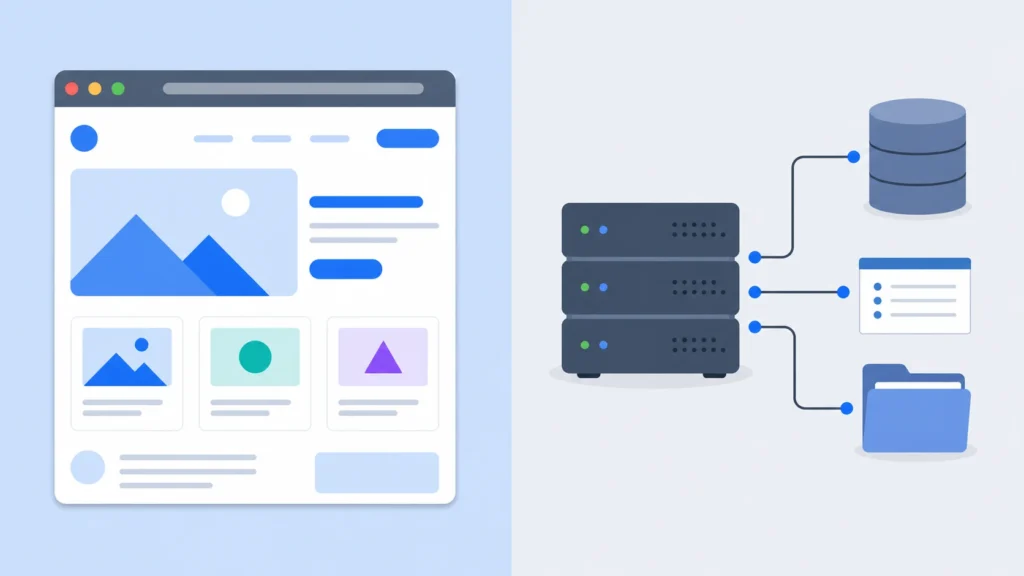
Front-end development is everything a visitor sees and clicks on directly: the layout, buttons, images, navigation menus, and forms. It’s built primarily with HTML, CSS, and JavaScript. A front-end developer’s job is to make sure the site looks right and responds correctly no matter what device or screen size someone is using.
Back-End Development
Back-end development happens behind the scenes. It includes the server, the database, and the application logic that processes information, like verifying a login, storing an order, or pulling product details from a database. Users never see this layer directly, but they feel its absence immediately if it breaks: slow load times, failed checkouts, or forms that don’t submit are almost always back-end issues.
Full-Stack Development
Full-stack development combines both. A full-stack developer can build the interface a user interacts with and the server-side logic that powers it. On smaller projects, one full-stack developer might handle both ends. On larger, more complex builds, front-end and back-end specialists typically work as separate roles on the same team.
How Web Development Actually Works
Understanding the definition of website development is easier once you see the actual workflow behind it. Here’s how a typical project moves from concept to a live, working site:
- Planning and Requirements. Before any code is written, the goals of the site are defined: who it’s for, what it needs to do, and what problems it needs to solve for the business or the user.
- Design and Wireframing. A structural layout (a wireframe) is created to map out where content, navigation, and calls to action will sit on each page.
- Coding and Development. This is where front-end and back-end work actually happens: turning the design into functioning pages, connecting databases, and building out features.
- Testing and Quality Assurance. The site is checked across browsers, devices, and screen sizes to catch bugs, broken links, and performance issues before launch.
- Launch and Maintenance. The site goes live, but the work doesn’t stop there. Ongoing updates, security patches, and performance monitoring keep it running properly long-term.
A detail many first-time site owners overlook: maintenance is not optional. A website that isn’t updated regularly becomes a security risk over time, particularly if it runs on a content management system with plugins or third-party integrations that need patching.
Key Technologies and Languages Used in Web Development
The meaning of web development becomes much clearer once you know the actual tools involved. Here’s a practical breakdown:
Languages: HTML structures the content, CSS handles the visual styling, and JavaScript adds interactivity. On the back end, languages like Python, PHP, and Java are common choices depending on the project’s needs.
Frameworks and Libraries: Tools like React and Vue speed up front-end development, while frameworks like Node.js and Django handle server-side logic more efficiently than writing everything from scratch.
Databases: Sites that store information (user accounts, products, orders) rely on databases such as MySQL, PostgreSQL, or MongoDB to organize and retrieve that data quickly.
No single technology is universally “best.” The right stack depends on the size of the project, how much traffic it needs to handle, and what the business plans to do with the site over the next few years.
Why Web Development Matters for Businesses
It’s easy to treat a website as a formality, something a business needs simply because competitors have one. But the technical quality of a site has direct, measurable effects on the business behind it.
Site speed affects whether visitors stay. A page that loads slowly loses visitors before they even see the content, regardless of how good that content is.
Mobile responsiveness is no longer optional. With most web traffic now coming from phones and tablets, a site that only works well on desktop is actively turning away a large share of potential customers.
Security protects both the business and the customer. Poorly developed sites are more vulnerable to breaches, which can damage customer trust and, in some industries, create legal exposure.
A technically sound site supports search visibility. Search engines factor in load speed, mobile usability, and site structure when ranking pages, so development quality and marketing performance are more connected than most business owners realize.
This is a common blind spot we see when reviewing sites through our Web Development Services in New York: businesses invest heavily in marketing and design, but the underlying technical foundation was never built to support either one properly.
Is Web Development Hard to Learn?
Honestly, it depends on where you start and what you’re trying to build.
The basics, HTML and CSS, are approachable for most beginners within a few weeks of consistent practice. JavaScript adds a steeper learning curve because it introduces actual programming logic rather than just structure and styling. Back-end development and database management take longer still, since they require understanding how systems communicate with each other, not just how a single page looks.
The honest answer is that web development rewards consistency more than raw talent. Most people who “aren’t technical” haven’t put in structured, repeated practice yet. It’s a learnable skill, not an innate one.
How to Get Started with Web Development
If you’re considering learning web development, or simply want to understand it well enough to manage a project, a practical starting path looks like this:
- Learn HTML and CSS first. These give you the structural foundation everything else builds on.
- Move into JavaScript. This introduces interactivity and basic programming concepts you’ll need for almost every modern site.
- Pick one direction to specialize in. Front-end, back-end, or full-stack, rather than trying to learn everything simultaneously.
- Build real, small projects. A personal portfolio site or a simple tool teaches far more than tutorials alone.
For businesses that don’t want to build this expertise in-house, working with an experienced development team is usually the faster and more cost-effective route, particularly when the site needs to support real transactions, customer data, or ongoing growth.
Final Thoughts
So, what is web development, in the end? It’s the combination of design, code, and infrastructure that turns an idea into a working website or application. Understanding the definition of website development, the roles involved, and how the process actually unfolds gives any business owner a real advantage when planning a new site or evaluating an existing one.
Whether you’re exploring web development meaning out of curiosity or you’re ready to build something real, having the right team behind the project makes a measurable difference in the outcome. If you’re ready to move forward, contact us at LocalPro1 to talk through your project and what it actually needs to succeed.
Frequently Asked Questions
What is web development in simple words?
Web development is the process of building and maintaining websites and web applications so they work correctly in a browser. It includes both what users see on the page and the systems running behind it, like servers and databases.
What are the 3 types of web development?
The three main types are front-end development (what users see and interact with), back-end development (the server and database logic behind the scenes), and full-stack development, which combines both.
What is the difference between web development and web design?
Web design focuses on the visual layout and user experience of a site, while web development focuses on the code and functionality that make it actually work. They’re closely connected but involve different skill sets.
What programming languages are used in web development?
HTML, CSS, and JavaScript are the core front-end languages, while back-end development commonly uses languages like Python, PHP, or Java, along with database languages like SQL.
Is web development a good career in 2026?
Yes, demand for skilled web developers remains strong, since nearly every business needs some form of online presence. Front-end, back-end, and full-stack roles all continue to offer solid, in-demand career paths.