
What Is GMB Optimization? A Guide for Local Businesses
It’s a Tuesday evening and a pipe under someone’s kitchen sink has started to drip. They grab their phone, type “plumber near me,” and glance at the map. Within seconds they’ve picked one. It wasn’t the loudest business. It was the one that looked open, close by, and trustworthy. That moment is why so many owners ask what is GMB optimization, and whether it really matters.
- What GMB Optimization Actually Means
- Why Your Profile Is Often the First Impression
- How Google Decides Which Local Businesses to Show
- The Profile Details That Deserve Your Time
- Reviews, Posts, and Messaging: Keep the Profile Alive
- Mistakes That Can Hurt Your Profile
- How to Tell If Your Optimization Is Working
- A Simple Monthly Checklist
- Final Thought
- Frequently Asked Questions
Quick answer: GMB optimization is the ongoing work of keeping your free Google listing complete, accurate, and believable. That way Google can confidently show it to nearby people searching for what you offer, in regular results and on Maps. GMB stands for Google My Business, the old name. Google now calls it Google Business Profile, so Google Business Profile optimization means exactly the same thing. At LocalPro1, we treat it less like a trick and more like a habit, and this guide shows you how.
What GMB Optimization Actually Means
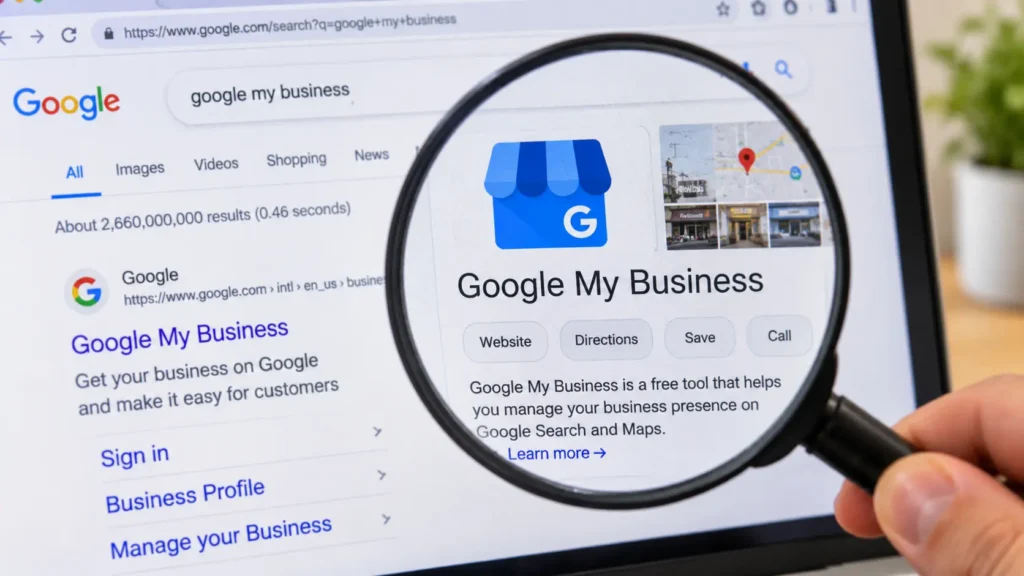
Your profile is the information panel Google shows when someone searches for your business or for what you sell. It holds your name, category, hours, phone number, photos, reviews, service list, and the buttons people tap to call or get directions. Optimizing it means making every one of those pieces correct, complete, and consistent with what a customer finds when they actually show up.
It is not a one-time setup. Hours change, services change, and photos get old. It is also not a shortcut to the top. No setting will push you ahead of a closer competitor with stronger reviews. So what is GMB optimization in daily practice? It’s routine maintenance with a purpose: removing every reason a customer, or Google, might doubt you. Here is an illustrative example. Imagine a small bathroom remodeling company with a profile that lists “Contractor” as its category, hours from two years ago, a landline nobody answers, three blurry photos, and a pile of unanswered reviews.
After a cleanup, the category reads “Bathroom remodeler.” The hours are current, with holiday hours added. The phone number is the mobile that gets picked up. Services like walk-in showers, tile repair, and vanity installation are listed. There are real photos of finished jobs, and every review has a reply. Nothing in that list is clever. It’s just honest and current, and that is the point. This example shows the kind of change involved, not a promised outcome.
Why Your Profile Is Often the First Impression
Most local decisions happen before anyone visits your website. A person comparing three listings is asking quick questions. Is it open right now? Are the reviews recent? Can I call without hunting for a number? Your profile answers all of that on the results page itself.
A beautiful website can’t rescue you if the profile says you’re closed when you’re open, or sends people to an old address. People also use Maps while moving, standing outside a building, or sitting in a parked car. In those moments, a wrong detail costs you the customer.
There’s also a newer reason. Google has been adding AI features to Maps that answer questions about places, and those features need accurate material to work from. A complete, consistent profile gives them something reliable to use. A thin one leaves gaps that get filled by guesswork.
How Google Decides Which Local Businesses to Show
Google says local results are based mainly on three things: relevance, distance, and prominence.
- Relevance is how well your profile matches what the person searched for. Your category, services, and description do most of the work here.
- Distance is how far you are from the searcher, or from the area they mentioned. You can’t change this one.
- Prominence is how well known and trusted you appear to be. Reviews, your reputation, and your presence across the web all feed into it.
The practical lesson is to spend your energy where you have control. LocalPro1 usually frames it this way: fix relevance first, because it’s the cheapest to improve and the easiest to get wrong. Then build prominence slowly and honestly.
Two edge cases are worth knowing. If someone searches without naming a place, Google leans on where they’re standing, so a competitor on the next block may appear above you even with a weaker profile. And if you’re a service-area business, such as a mobile locksmith or a cleaner who travels to customers, your visibility is tied to the areas you serve, not a storefront. Set that up truthfully.
The Profile Details That Deserve Your Time
Get the basics exactly right
Start with the boring facts, because errors here hurt the most.
- Business name: Use the name customers see on your sign, invoices, and packaging. Don’t add keywords or a city name to improve your chances.
- Address and phone: Keep your name, address, and phone number identical to what’s on your website and other listings. If you use a call-tracking number, keep your real number listed as well so your information stays consistent across the web.
- Primary category: This is one of the most important choices on the profile. Pick the category that describes what you mainly are, then add secondary categories only for things you genuinely do. A pharmacy inside a grocery store, for example, should think about which identity customers actually search for.
- Storefront or service area: If customers don’t visit you, hide your address and list your service areas. Don’t invent a shop to look bigger.
- Hours: Include special and holiday hours. Nothing frustrates a customer faster than driving to a locked door.
Make the profile useful
Once the basics are right, give people and Google something worth reading. Good Google Business Profile optimization is mostly about being helpful on the page.
- Services and products: List what you really offer with a short, plain description of each. “Emergency pipe repair, same-day when available” beats a vague label.
- Description: Write for a person. Say what you do, who you do it for, and what makes you different. Skip the keyword lists, because they read badly and can look like manipulation.
- Attributes: Add the ones that apply, like wheelchair access, appointment required, or free estimates.
- Photos: Upload real photos of your entrance (so people recognize it), your space, your team, and finished work. Refresh them when things change. Don’t count on hidden location data inside photo files to boost anything, because Google hasn’t presented that as a reliable lever. Stock images can also mislead people and weaken trust.
Reviews, Posts, and Messaging: Keep the Profile Alive
Reviews. Ask after a job is done and the customer is happy, and make it easy by sending a direct review link by text or email. Don’t offer discounts or gifts in exchange, and don’t ask only your happiest customers, since Google’s policies discourage both. When you reply, mention something specific from the customer’s experience instead of pasting a template.
Negative reviews deserve special care. Acknowledge the problem, offer to fix it offline, and stay calm. Future customers often read your reply more closely than the complaint itself.
Posts. Use them for real news, like holiday hours, a seasonal service, or a limited offer. Treat them as a way to keep customers informed, not a ranking miracle. If you have nothing useful to say, it’s fine to say nothing.
Questions and messaging. Many older guides still tell you to fill the Q&A section and switch on chat, so here is what has changed. Google ended its native Business Profile chat in July 2024. It also discontinued the Q&A API in November 2025 and has been replacing the public Q&A section with AI-powered answers in Maps. A newer AI messaging tool is being tested with limited access, and availability varies.
What should you do instead? Put the answers to your most common questions where Google and customers can find them: your services list, attributes, description, and website. Then make sure the phone and any text line you advertise are actually answered.
Mistakes That Can Hurt Your Profile
Google’s September 2026 spam update began on September 24 and finished on October 8, and a regular core update started on November 10. Google hasn’t said what the spam update targeted, so nobody can honestly claim to know. What we do know is that the spirit of Google’s profile guidelines is simple: represent your business truthfully. These are the habits that go against it:
- Adding keywords or location names to your business name.
- Buying, trading, or faking reviews, or pressuring customers to leave them.
- Using a virtual office, a mailbox, or someone else’s address as a storefront.
- Creating duplicate listings for the same location.
- Copy-pasting identical text across several locations.
- Chasing quick tricks instead of building a profile people can trust.
If your profile is ever suspended, resist the urge to create a new one. That usually creates a duplicate and more problems. Use the official reinstatement process instead. Google’s policies exist to protect searchers, which makes an honest profile the safest long-term bet. It also holds up better when rankings shift after an update.
How to Tell If Your Optimization Is Working
Your profile has a performance section, formerly called Insights, that shows how people found you and what they did next. Look at searches, calls, direction requests, website clicks, and bookings or messages if you use them. A healthy trend is steady growth in actions, such as calls and direction requests, not just views.
A storefront should watch directions closely, while a service business may care more about calls. Compare similar time periods, because seasons matter. An HVAC business will look very different in a cold snap than in spring. After any search update, patience matters. Wait until the rollout has finished and give things a couple of weeks before drawing conclusions. Change one thing at a time so you can tell what helped.
You may also read: How to Optimize GMB Listing
A Simple Monthly Checklist
Screenshot this and repeat it each month:
- Check your name, address, phone, and website against the real world.
- Review your hours, including upcoming holidays.
- Reply to every new review.
- Add a few recent, real photos.
- Update or remove services that have changed.
- Publish a post only if you have real news.
- Search for your business on your phone and look for duplicates or wrong details.
- Check your performance trends and note anything unusual.
If you’d rather have a team keep this routine on track, take a look at our GMB Optimization Services in New York.
Final Thought
GMB optimization is about keeping your Google listing honest, current, and useful for the people who rely on it. Do that consistently and you’re building something that holds up through any update. Open your profile today and fix one thing.
If you’d like a second pair of eyes, contact LocalPro1 and we’ll go through your profile with you.
Frequently Asked Questions
What is GMB optimization in simple words?
It means keeping your Google listing accurate, complete, and active so nearby customers can find you and trust what they see. GMB is the older name for Google Business Profile, so you’ll see both terms used.
Is Google Business Profile optimization free?
Yes, the profile itself is free and you can manage it on your own. You only pay if you choose to hire help or use outside tools.
How long does it take to see results?
There’s no fixed timeline. Fixing wrong hours or a bad phone number helps customers right away, while ranking changes depend on your competition and how Google’s systems respond. Steady Google Business Profile optimization works better than occasional bursts.
How often should I update my profile?
Do a full check once a month and update it immediately whenever your hours, phone number, or services change. Small, timely fixes matter more than big rewrites.
Can I optimize my profile without a website?
Yes, a profile can work without one. Just make sure customers have another clear way to reach you, like a phone number that gets answered. A simple website still helps, because it gives Google another place to confirm your details.
Ready to Grow Your Business Online?
Get a custom strategy built around your goals. Our team will review your current marketing and show you exactly where the growth opportunities are.
- Free 30-minute strategy call
- Custom growth roadmap
- No obligation or hidden fees